Most B2B companies run LinkedIn the same way. Marketers post from the company page a few times a week to a small audience, and a founder posts whenever they find a spare hour (which is almost never). The sales team, the people closest to buyers, almost never post at all.
A successful LinkedIn content strategy fixes that. It's the plan that lines up every voice in your company around the same goals, topics, and calendar.
This guide covers what to publish, who should publish it, how often to post, and how to tell whether or not it's all working.
TL;DR
- A LinkedIn content strategy has three publishing layers: the company page, executives and subject matter experts (SMEs), and employees (especially sales reps).
- LinkedIn's feed ranks posts by how relevant they are to each member, so consistent posts on a few clear topics beat random ones.
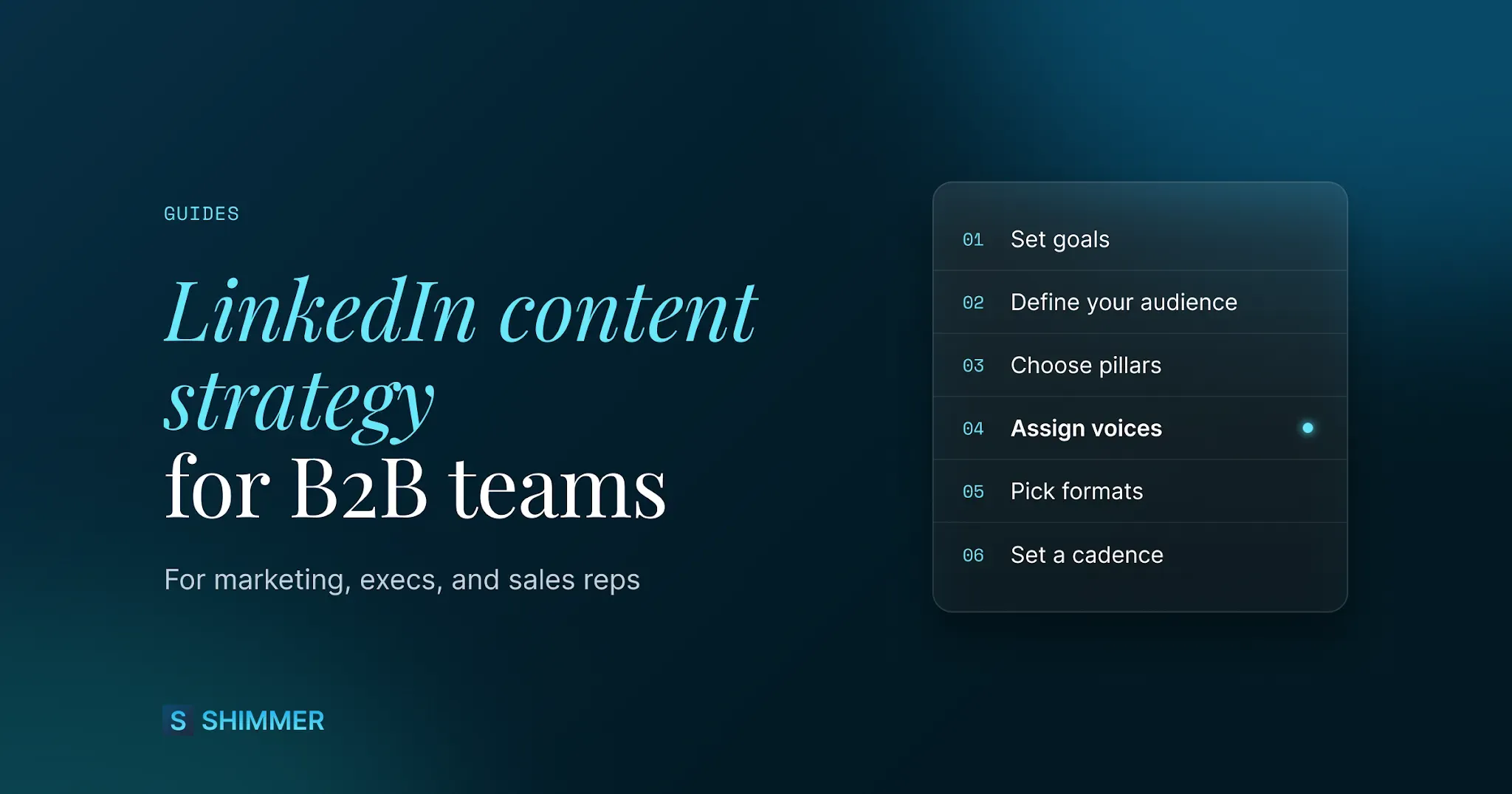
- Build the plan in eight steps: Set goals, define the audience, pick pillars, assign voices, choose formats, set a cadence, build an engagement routine, and measure monthly.
- Your team is the distribution layer. A shared library of approved posts makes it easy for reps to post without writing from scratch.
What A LinkedIn Content Strategy Covers In 2026
A LinkedIn content strategy is a set or written plan for what your company publishes on LinkedIn, who publishes it, and why. It ties every post back to a business goal, such as pipeline, hiring, or awareness. It also establishes your publishing rhythm, so posting doesn't depend on whoever remembers to publish that week.
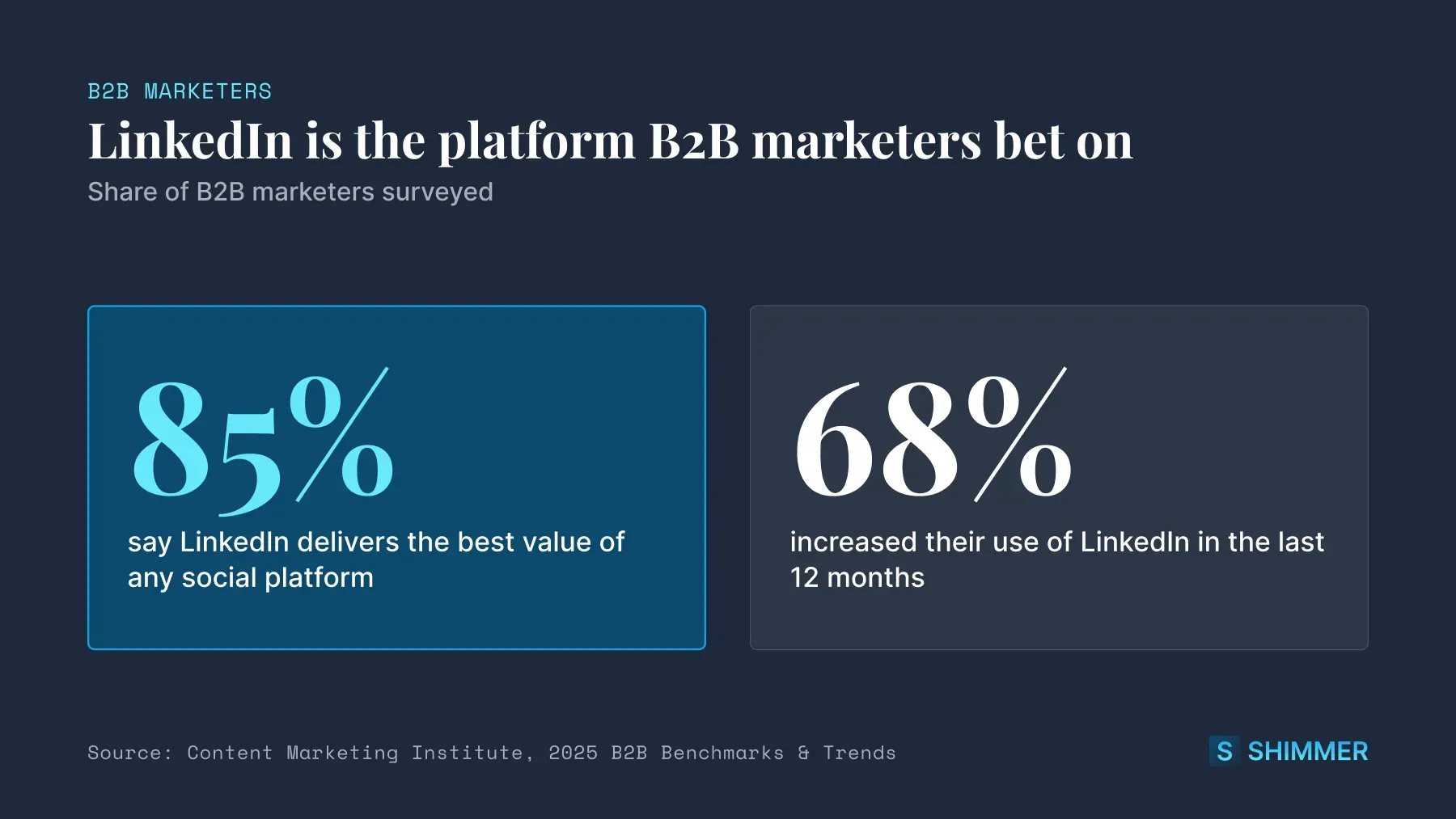
The stakes are high for B2B brands. In the Content Marketing Institute's 2025 B2B research, 85% of B2B marketers said LinkedIn delivers the best value of any social platform. The same survey found 68% had increased their use of LinkedIn over the previous 12 months.
The three publishing layers
Most strategies only plan for the company page. That leaves a lot of reach on the table. A complete plan covers three layers, and each one has a different job.
Layer | Primary job | Best formats | Realistic cadence |
|---|---|---|---|
Company page | Credibility, announcements, proof | Documents, multi-image posts, short video | 3-5 posts per week |
Executives and experts | Point of view and trust | Text posts, opinion takes, newsletters | 1-3 posts per week |
Employees and sales reps | Reach into buyer networks | Personalized reshares, short insights, customer stories | 1-2 posts per week |
The company page is where buyers go to check that you're legitimate. Executives give the brand a human point of view. Sales reps put your content in front of the exact people they're trying to reach.
How LinkedIn decides who sees your posts
LinkedIn rebuilt its feed in 2026, and the new ranking system runs on large language models (LLMs). In a March 2026 engineering post, LinkedIn said the system understands "what a post is actually about and how it relates to a member's evolving interests and career goals."
The system looks at two kinds of signals:
- The first is what members put on their profiles, like industry, skills, and experience.
- The second is how they engage over time, including what they read, comment on, return to, or scroll past.
LinkedIn is trying to match each post to the people it's most relevant to. Posts that stick to a few clear topics give the system an easier job than a feed full of unrelated updates. Reach also depends on who posts. A company page reaches its followers, and employees reach their own connections.
A February 2026 Refine Labs analysis compared three employee profiles with the company's own LinkedIn page over 10 months. After adjusting for follower count, the employee profiles earned 230 to 867 engagements per 1,000 followers in Q3 2025. The brand page earned just 67. That puts the employee profiles at roughly 3x to 13x the brand page's engagement per follower.
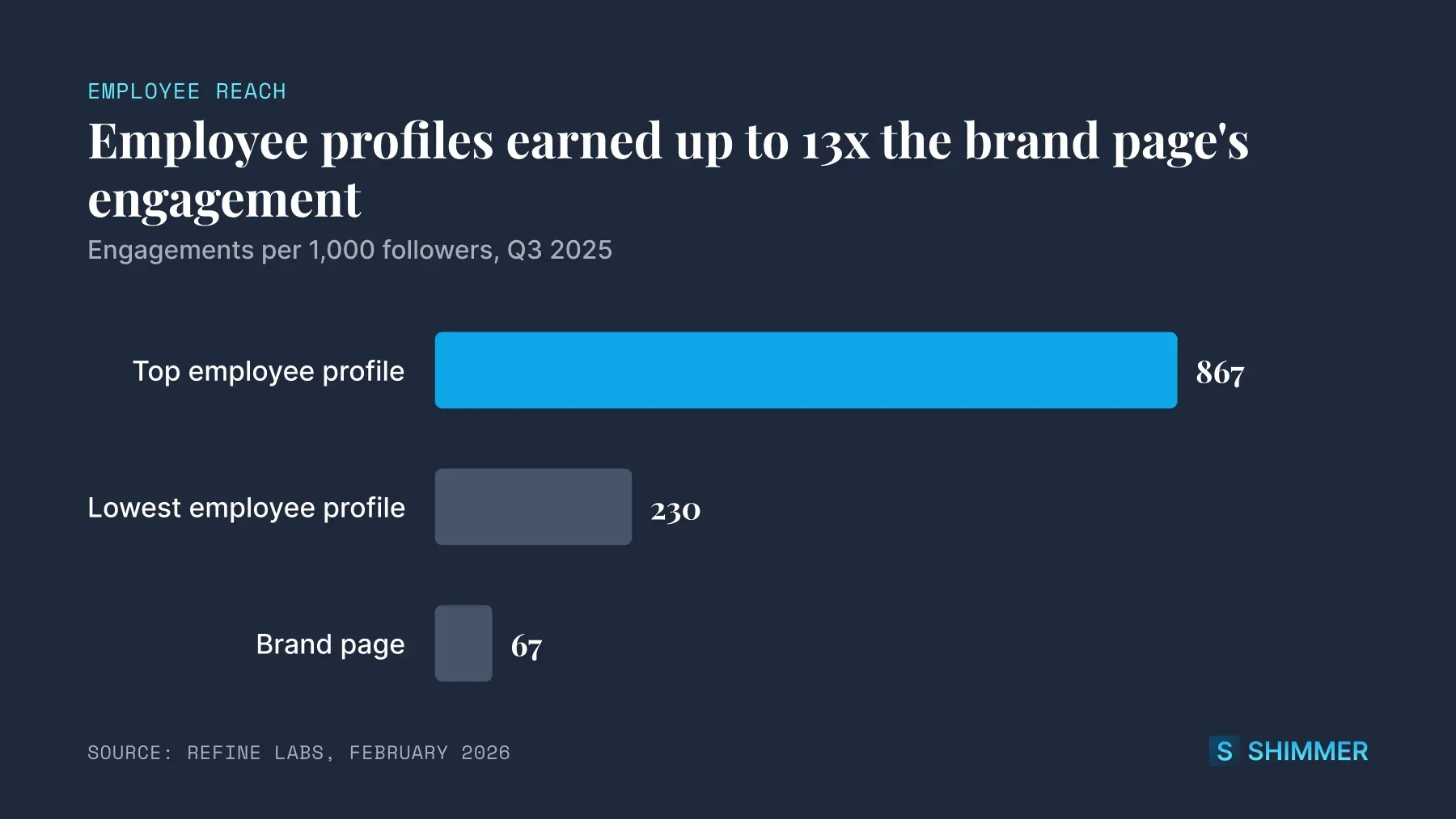
That's a small sample from one company, so treat it as directional. The logic still holds, because every rep's network is a separate audience.
A plan that only uses one layer leaves most of that reach unused. The next section shows how to build one that uses all three.
How To Build A LinkedIn Content Strategy In 8 Steps
Work through these steps in order. Each one includes an example you can copy and a mistake to avoid.
1. Set goals tied to business outcomes
Start with what the business needs from LinkedIn. Common goals are pipeline, hiring, event signups, and brand awareness. Pick one or two, then choose one or two metrics for each.
A goal statement for a mid-size software company might look like this:
- Goal: Influence pipeline with mid-market IT leaders.
- Metrics: Inbound DMs and demo requests that mention LinkedIn, plus profile views from target accounts.
Mistake to avoid: Setting "more followers" as the only goal. Followers matter, but they don't tell you whether LinkedIn helps drive more sales.
2. Define your audience and buying committee
B2B deals rarely have a single buyer. List the job titles involved in a typical deal, from the economic buyer to the people who use your product every day. Then write down the top problem each one is trying to solve.
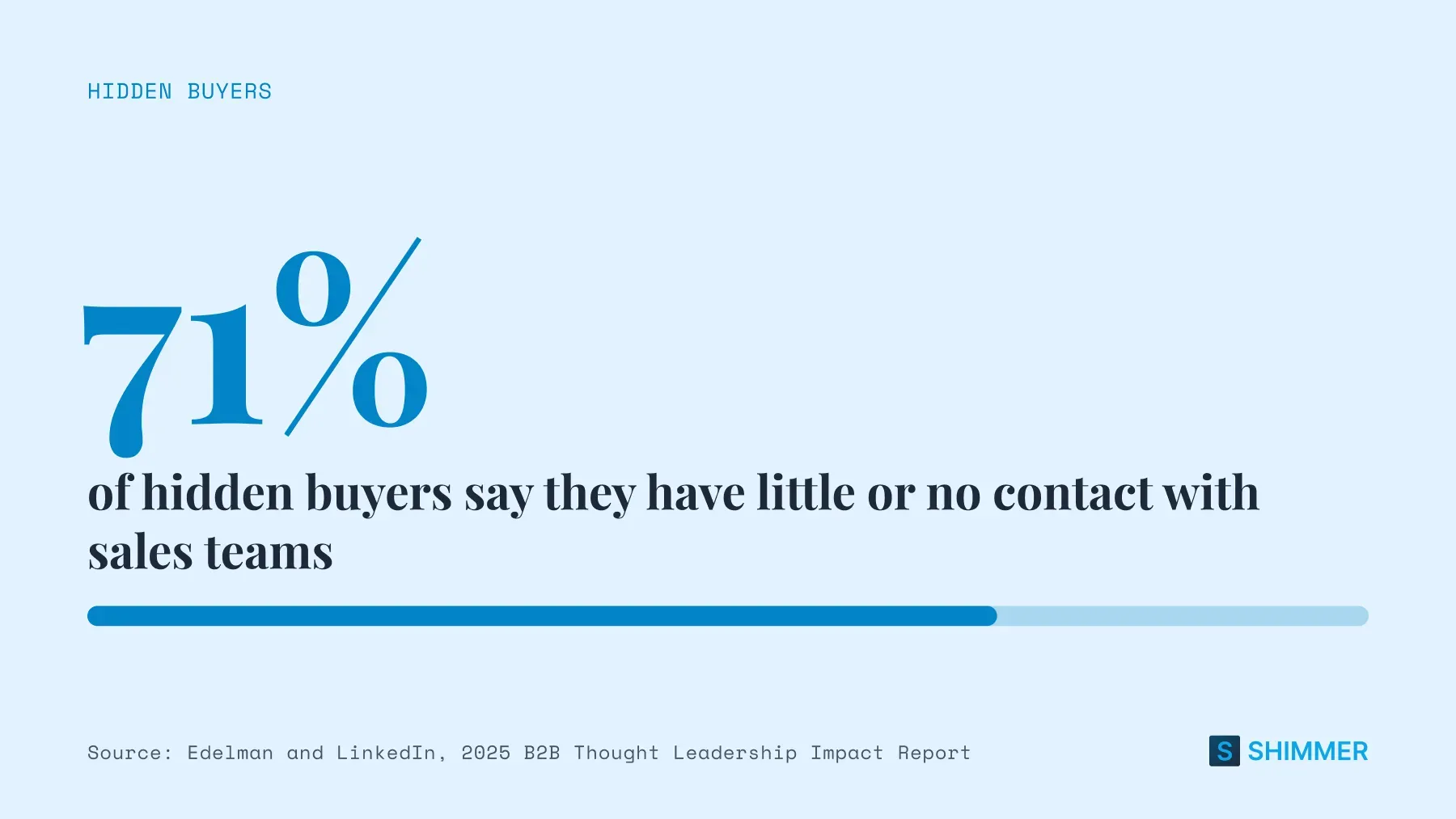
This matters more than it seems. Edelman and LinkedIn's 2025 B2B Thought Leadership Impact Report looked at "hidden buyers," the buying-group members who shape a decision without joining sales calls.
Of those hidden buyers, 71% said they have little or no contact with sales teams. LinkedIn content is one way to reach them before they join a call.
Mistake to avoid: Writing for "decision-makers" in general. A CFO and a systems admin care about different things.
3. Choose 3-4 content pillars
Content pillars are the recurring topics every post maps back to. Good pillars sit where your expertise overlaps with your audience's problems. Three or four is enough to stay focused without getting repetitive.
A sales enablement company might use these four:
- Social selling tactics. How reps build trust before the first call.
- Customer results. Short stories with a clear before and after.
- Industry shifts. What's changing in B2B buying and what it means.
- Behind the scenes. How the team works, hires, and builds.
Mistake to avoid: Picking pillars that are just your product features. Buyers follow you for ideas, then learn about the product along the way.
4. Assign voices to each pillar
Decide which layer owns each pillar, so everyone knows what to post. Here's one way to split the pillars from the example above.
- Company page: Customer results and behind-the-scenes posts.
- Executives: Industry shifts and opinion pieces.
- Sales reps: Social selling tactics, plus reshares of customer stories in their own words.
Clear ownership also helps with buy-in. A rep who knows "my lane is customer stories" tends to post more often than a rep told to "share content sometimes."
Mistake to avoid: Asking everyone to post everything. That leads to the same post showing up five times in one buyer's feed.
5. Pick a format mix
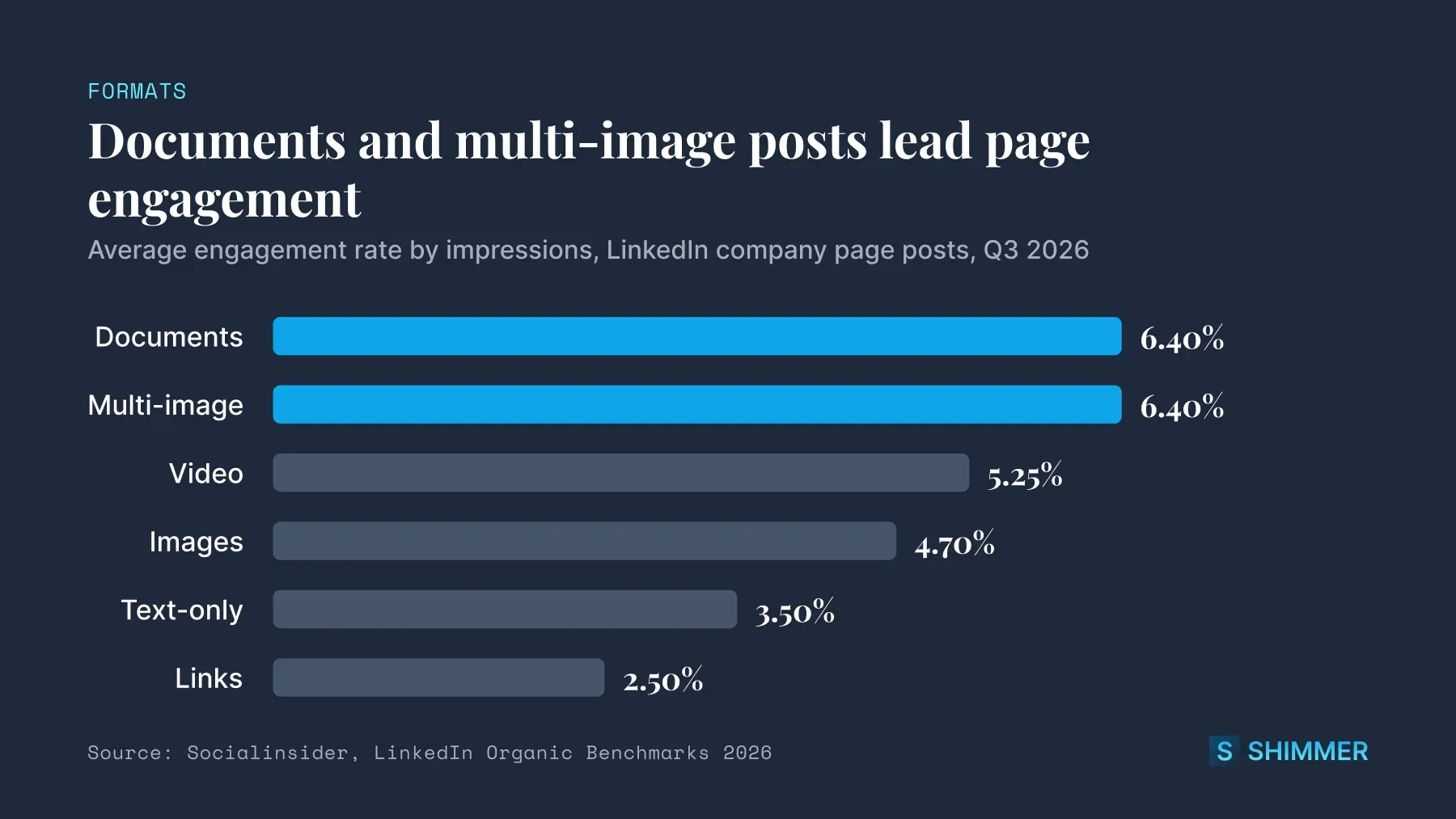
Different formats do different jobs. Socialinsider's 2026 benchmarks for company page posts found documents and multi-image posts had the highest engagement in Q3 2026, at 6.40% each.
Video averaged 5.25%, images 4.70%, and text-only posts 3.50%. Link posts came last at 2.50%. Here's how to use each format.
- Documents (carousels): Frameworks, checklists, and step-by-step guides.
- Multi-image posts: Event recaps, team photos, and product walkthroughs.
- Short video: Quick takes from executives and customer clips.
- Text posts: Opinions and lessons learned, written in a personal voice.
- Polls: Light research and conversation starters.
- Newsletters: Longer thinking from an executive, published on a set schedule.
Balance helpful posts against promotional ones, too. The 4-1-1 rule, credited to Andrew Davis and Joe Pulizzi, suggests sharing four new pieces of content and one reshare for every self-promotional post.
The 5:3:2 rule is a similar rule of thumb. Out of every 10 posts, five share others' content, three share your own, and two are personal. Both are rough guides for balance. Find yours.
Mistake to avoid: Putting external links in most posts. Link posts had the lowest engagement of any format in the data above.
6. Set a realistic cadence and build a calendar
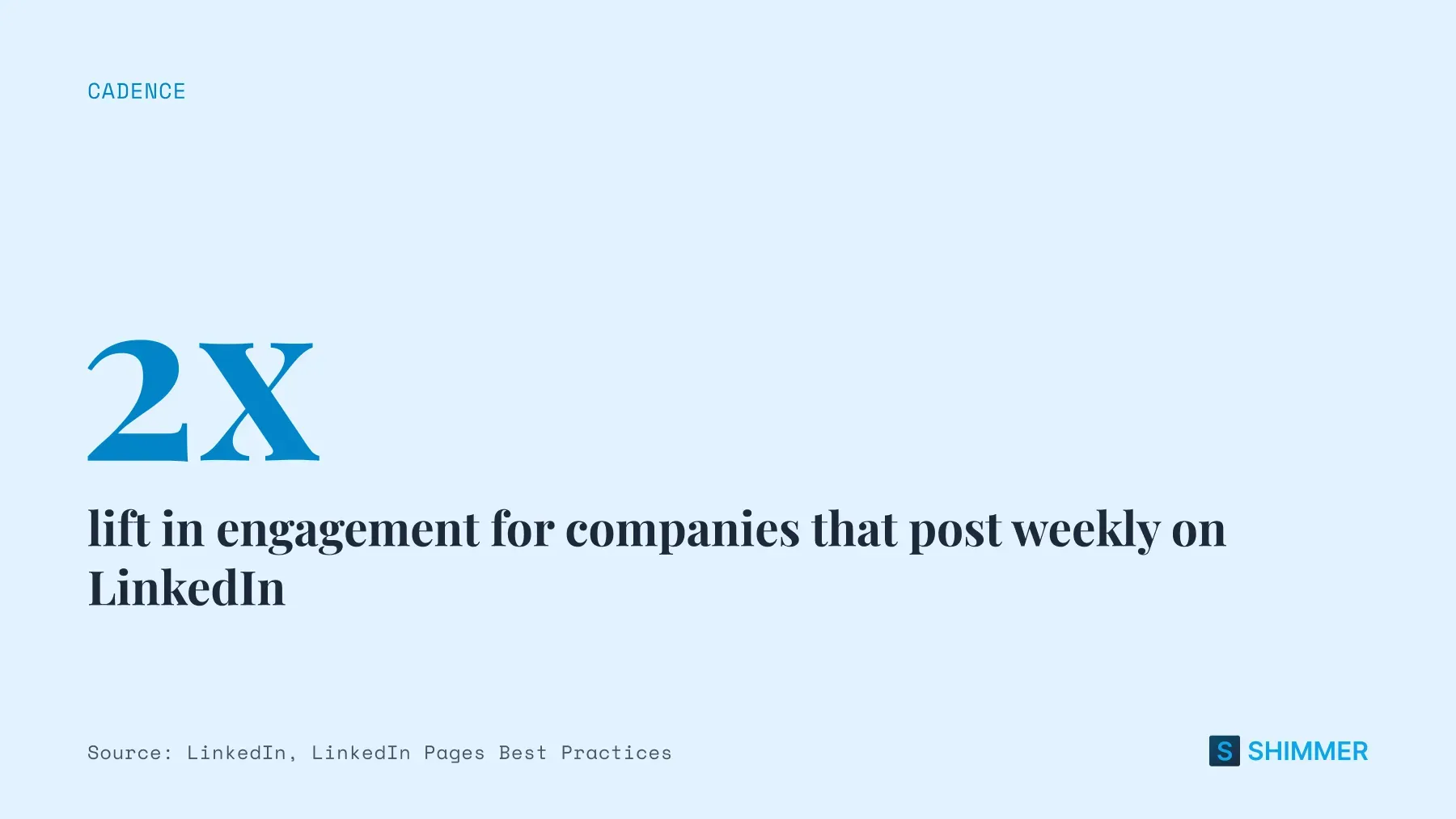
Consistency beats volume. LinkedIn says companies that post weekly see a 2x lift in engagement with their content. Start at a pace your team can keep for a full quarter, then add more once it sticks.
Sample 30-day LinkedIn content calendar
Here's what the first month could look like for a team using the pillars and voices from steps 3 and 4.
Week | Company page | Executives | Sales reps |
|---|---|---|---|
Week 1 | Customer result (document), team photo recap (multi-image) | Opinion post on an industry shift | Reshare the customer result with a personal intro |
Week 2 | Checklist carousel, short product video | Lesson learned from a recent deal or hire | Post one social selling tip from a recent call |
Week 3 | Industry data roundup (document), poll | Newsletter issue | Share a customer story from their own territory |
Week 4 | Behind-the-scenes post, monthly recap | Response to comments on their newsletter | Reshare the recap and tag a customer they worked with |
Mistake to avoid: Filling the calendar with dates and no owners. Every slot needs a name next to it.
7. Build an engagement routine
Posting is only half the work. Try commenting on a few posts from buyers and peers right before you publish. Then reply to comments on your own posts as soon as you can.
Reps should also engage with their prospects' posts. A thoughtful comment on a buyer's post often does more than a cold message. It puts the rep's name in front of the buyer in a helpful context.
Mistake to avoid: Posting and leaving. Comments are part of how LinkedIn learns who finds a post relevant.
8. Measure and iterate monthly
Review results once a month. LinkedIn analytics shows impressions, engagement, and follower growth for pages and profiles. Pair those with signals closer to revenue, like inbound DMs, profile views from target accounts, and deals where the buyer mentioned seeing your content.
This table shows a simple starting set.
Layer | Activity metrics | Outcome metrics |
|---|---|---|
Company page | Posts per week, engagement rate, follower growth | Page visits from target accounts, demo requests |
Executives | Posts per week, comments, newsletter subscribers | Inbound DMs, speaking or partner invites |
Sales reps | Active reps per week, shares per rep | Replies from prospects, meetings booked, influenced deals |
Then make one or two changes. Double down on the pillar or format that's working, and drop what isn't. Revisit your goals and pillars once a quarter.
Mistake to avoid: Judging a strategy after two weeks. Give a cadence at least a full quarter before deciding it doesn't work.
Turning Your Team Into The Distribution Layer
Your company page gives your content a home. Your team gives it reach. When a rep shares a post, it lands in a network of buyers, partners, and peers who don't follow your page.
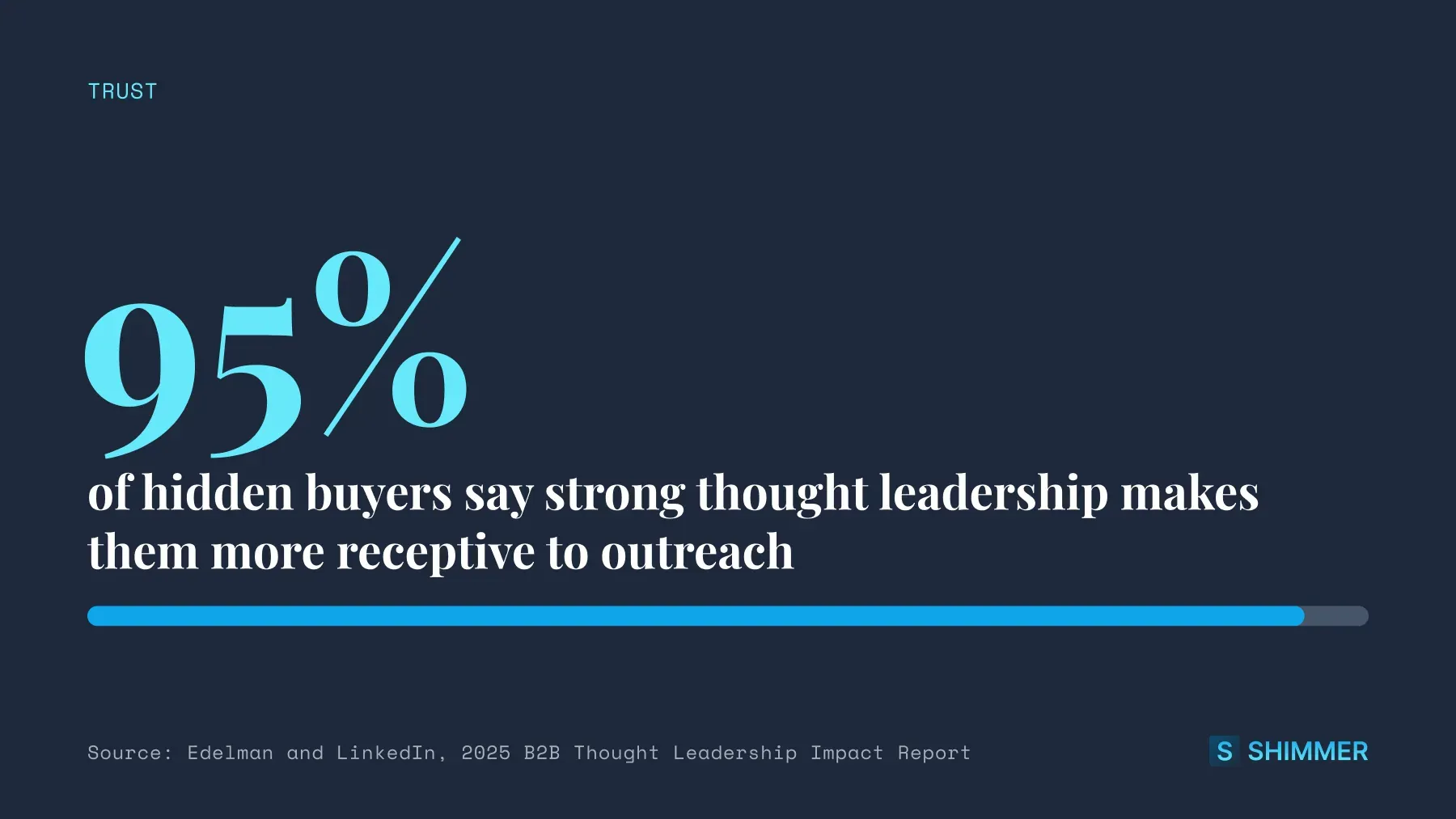
Trust is part of this too. In the Edelman and LinkedIn research, 95% of hidden buyers said strong thought leadership makes them more receptive to sales and marketing outreach. When that content comes from a rep the buyer already knows, it can warm up the sales conversation too.
Source: Edelman and LinkedIn, 2025 B2B Thought Leadership Impact Report
What makes employee posting work
Many reps want to post more, but they don't know what to post. Others worry about sounding salesy. A few simple pieces solve both problems.
- A shared library of approved posts: Reps start from a draft instead of a blank post.
- Clear guidelines: A short page on brand voice, topics to avoid, and how to talk about customers.
- Light personalization: Reps add one or two lines of their own so posts don't read as copy-paste.
- Recognition: A leaderboard or a shout-out in the team meeting keeps people posting.
Handling common rep objections
Expect some pushback in the first month. Most of it comes down to three worries. Each one has a simple answer.
- "I don't have time": A pre-written post with one line of personal context takes a couple of minutes. Ask for one post a week to start.
- "I don't want to sound like an ad": Lead with a lesson or a customer moment. Save any product mention for the last line.
- "I'm not a writer": Reps don't need to be a writer. The library gives them a draft, and their own experience polishes the finished post.
Start with a small group of willing reps before rolling it out to everyone. Their early wins make the case to the rest of the team.
A simple workflow
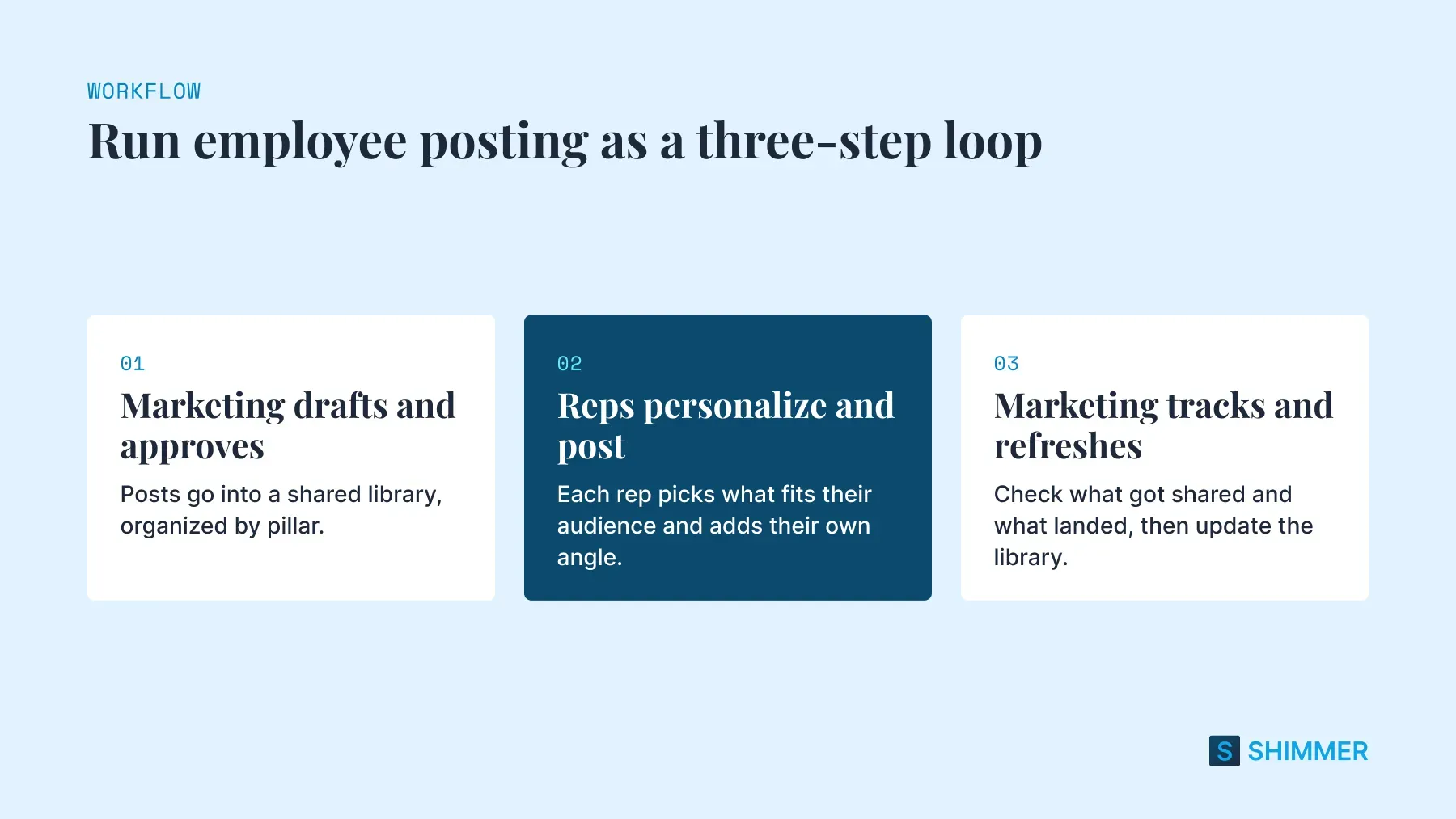
- Marketing drafts and approves. Posts go into a shared library, organized by pillar or topic.
- Reps personalize and post. Each rep picks what fits their audience and adds their own angle.
- Marketing tracks and refreshes. Each month, marketing checks what got shared and what landed, then updates the library.
One piece of content, three angles
Say marketing publishes a case study about a customer who cut onboarding from weeks to days. Three reps could share it in three different ways:
- The personal angle: "I worked with this team during their rollout. Here's the moment it clicked for them."
- The question angle: "How long does onboarding take at your company? This team got it down from weeks to days."
- The lesson angle: "Three things I learned watching a customer rebuild onboarding from scratch."
Same story, three voices.
How Shimmer Helps Teams Run A LinkedIn Content Strategy
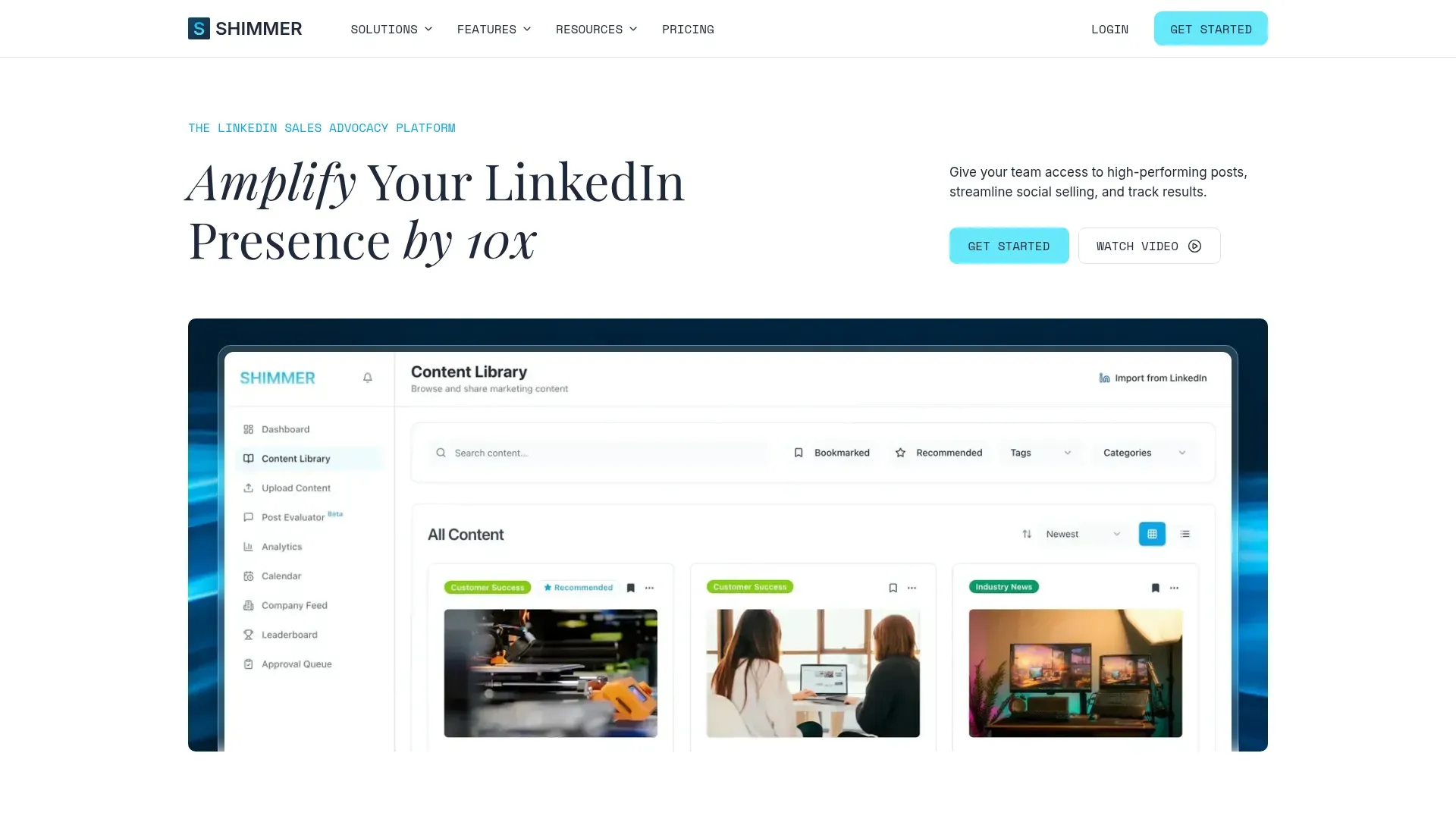
Shimmer gives marketing and sales one place to run the distribution side of a LinkedIn content strategy.
Marketing uploads approved posts to a shared content library, organizes them by category and tag, and recommends what to share each week (or day). Reps pick a post and publish it to their own LinkedIn profile in one click. They can also copy a post and add their own intro first, or revise the copy completely using Shimmer’s AI Rewriter.
That fixes the problem from earlier in this guide: reps who want to post but don't know what to say. Recommendations can go straight to Slack or Microsoft Teams, and the analytics dashboard shows which reps are sharing and which posts get shared most.
A shared content library
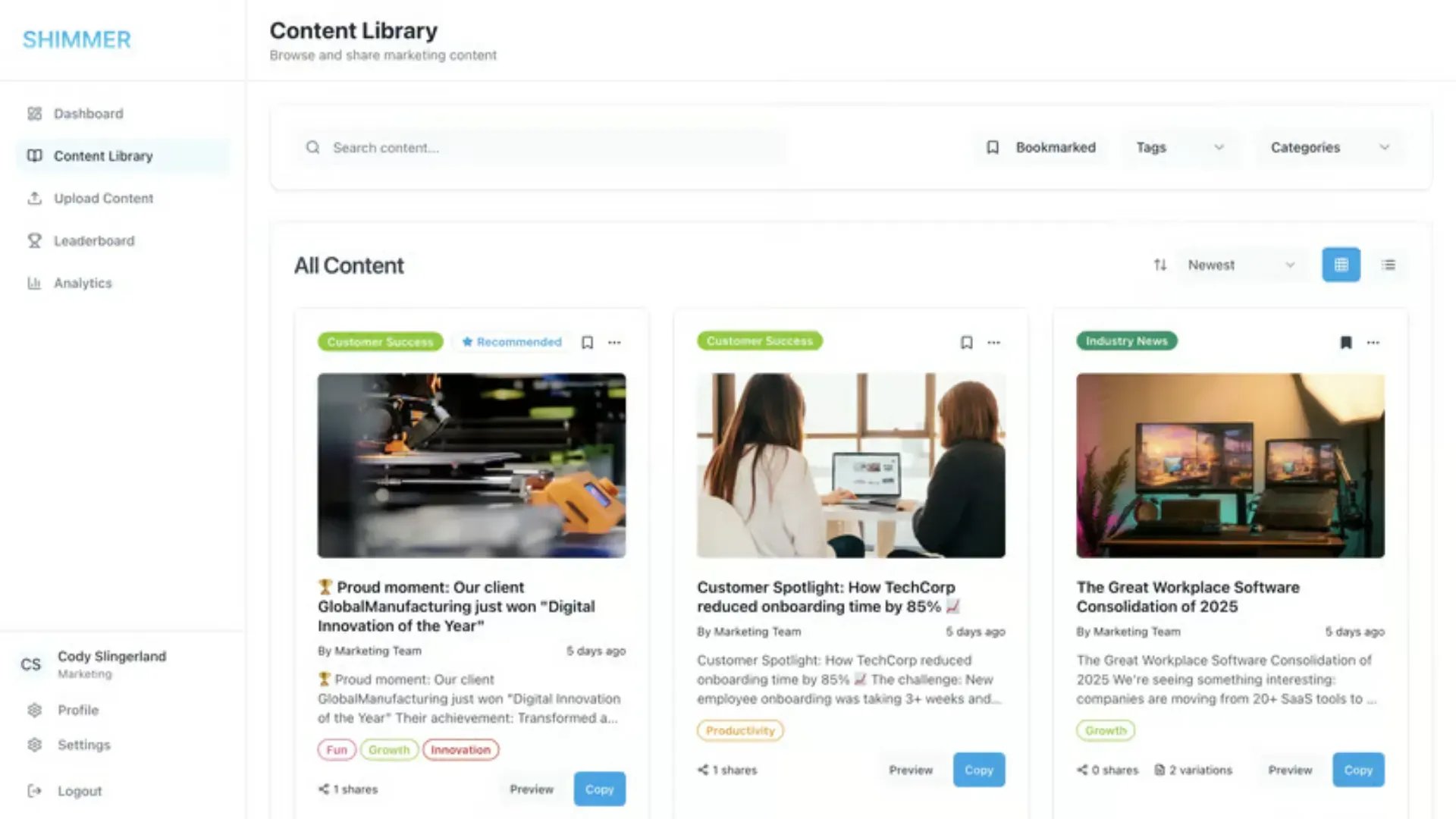
Marketing uploads posts with a title, body text, category, and tags. The content library accepts images up to 20MB, plus videos and PDFs up to 50MB. Teams can also import existing posts from their LinkedIn page.
Each post can have content variations, which are alternate versions of the text for different audiences or use cases. Reps search by keyword or filter by category, tag, or bookmarks to find what fits.
One-click posting and scheduling
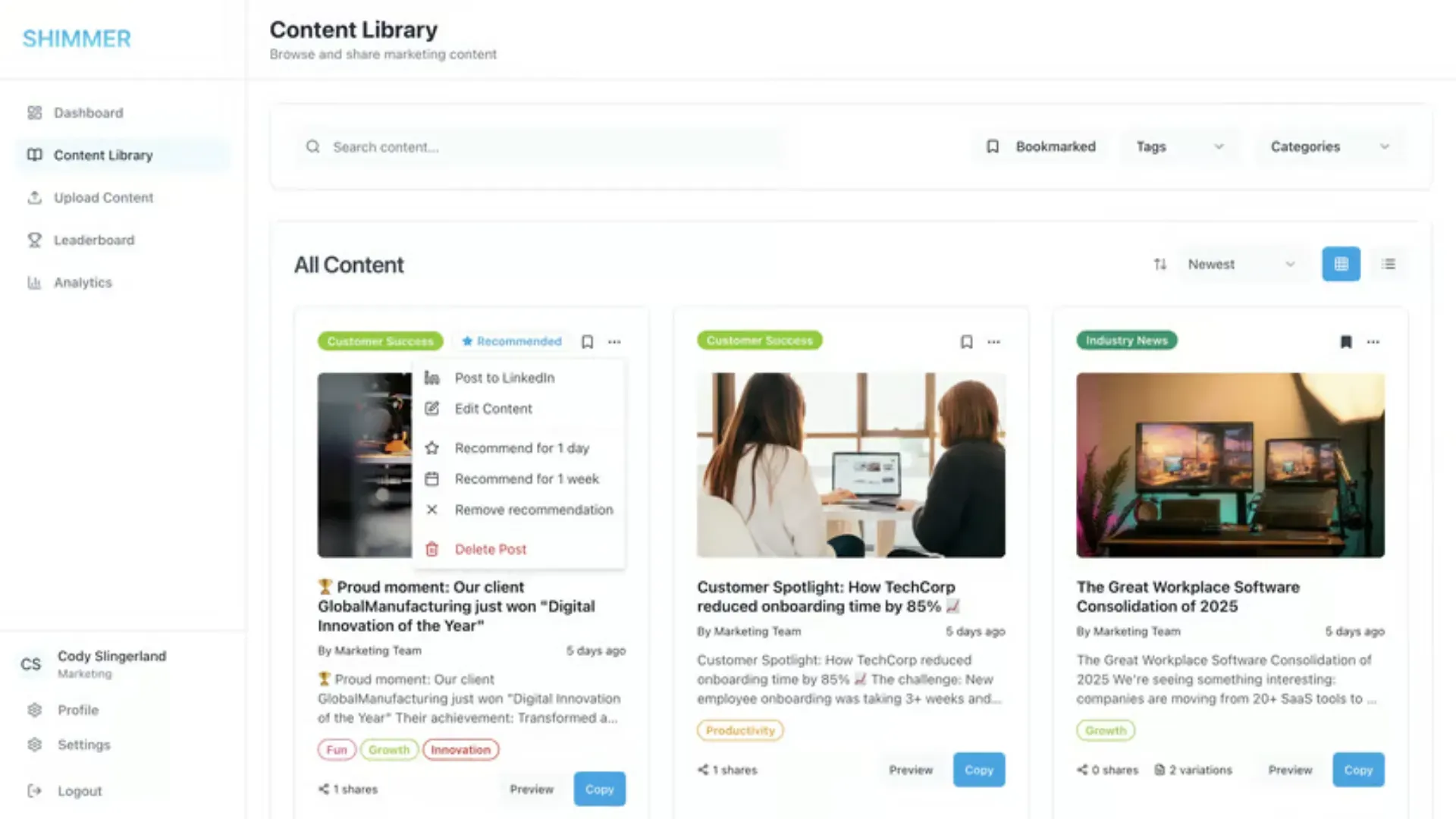
Reps click "Post to LinkedIn" on any content card to publish it to their profile. They can also schedule posts for later and track them on a calendar. The LinkedIn connection uses OAuth, so Shimmer never stores LinkedIn passwords.
Marketing users and admins can also recommend posts for a day or a week. Those recommendations can trigger a Slack or Microsoft Teams message, so reps see what to share without opening another tool. With a team member's opt-in, admins can post on their behalf too.
Analytics and a leaderboard
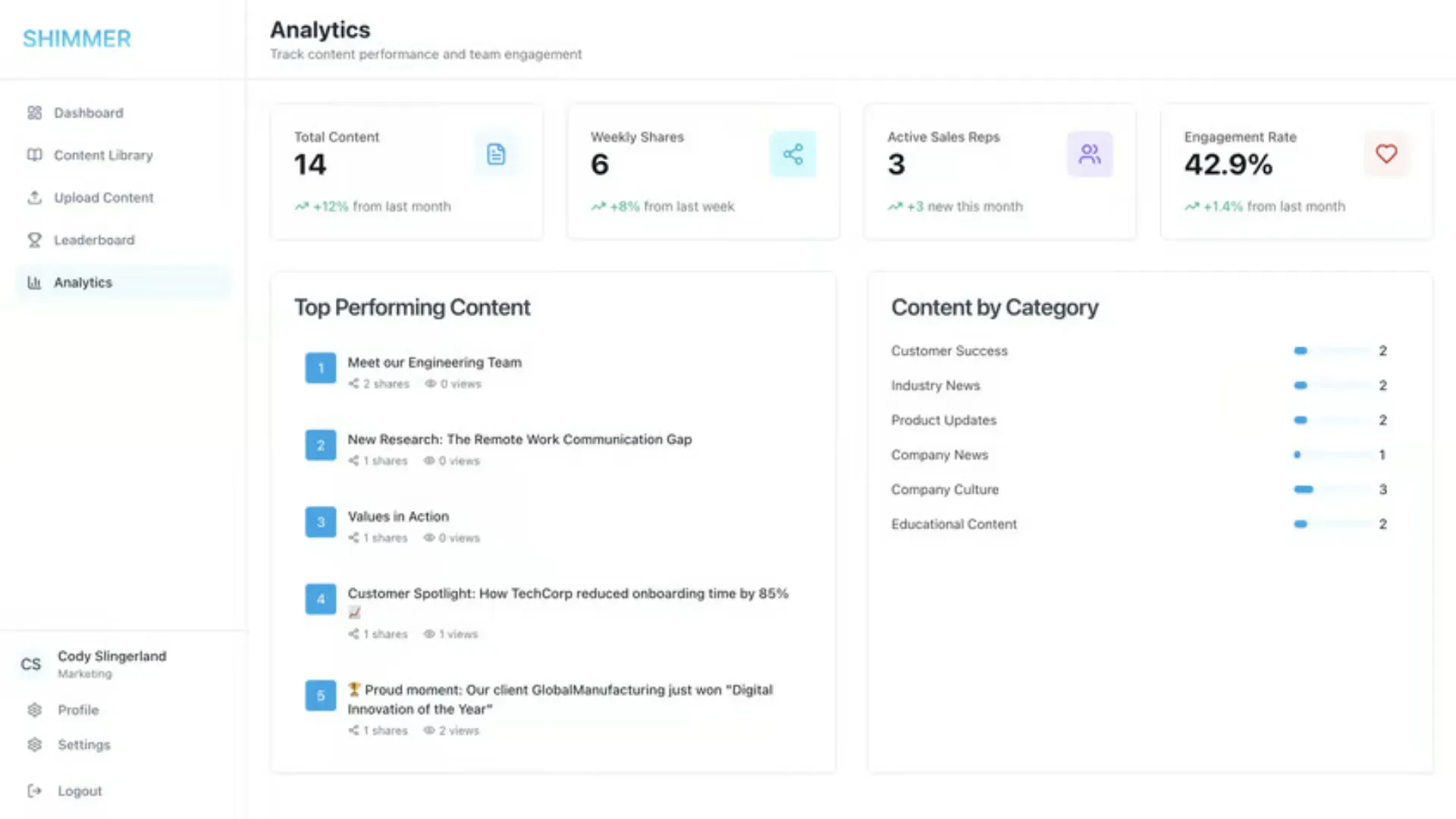
The analytics dashboard shows total content, weekly shares, active sales reps, and engagement rate. It also ranks top-performing content by how many team members shared it. A leaderboard keeps participation visible across the team.
Roles keep marketing in control. Sales users browse and share, marketing users upload and recommend, and admins manage users, categories, and analytics. Setup is quick, and most teams are up and running within 24 hours.
If you want to see how Shimmer fits your team's LinkedIn plan, sign up for a 7-day free trial here.
FAQ
What is the 4-1-1 rule on LinkedIn?
The 4-1-1 rule says that for every self-promotional post, you should share four new pieces of helpful content and one reshare. It's credited to Andrew Davis and Joe Pulizzi. On LinkedIn, it's a simple way to keep your feed from turning into a stream of ads.
What is the 5:3:2 rule for social media posts?
The 5:3:2 rule splits every 10 posts into three groups. Five share others' content, three share your own, and two are personal. It's a rough guide that keeps a feed from feeling self-centered.
What are the 5 pillars of content strategy?
A common way to frame it is audience, goals, topics, distribution, and measurement. On LinkedIn, that means knowing who you're writing for and what you want from it. It also means choosing a few recurring topics, deciding who posts them, and tracking what works.
What are the 7 steps in creating a content strategy?
Most versions cover setting goals, defining the audience, choosing topics, picking formats, building a calendar, distributing content, and measuring results. The eight steps in this guide follow the same path. They add one step for LinkedIn teams, which is assigning voices to each topic.
How often should a company post on LinkedIn?
Aim for at least once a week, and build from there. LinkedIn says companies that post weekly see a 2x lift in engagement. Three to five page posts a week is a good target for most B2B teams, plus regular posts from executives and reps.
Should B2B companies focus on the company page or employee profiles?
Use both. The company page builds credibility and gives buyers a place to check you out. Employee profiles carry your content into networks the page can't reach.
How do you measure the ROI of a LinkedIn content strategy?
Start with LinkedIn analytics for impressions, engagement, and follower growth. Then track signals tied to revenue, like inbound DMs, demo requests that mention LinkedIn, and deals where buyers saw your content. Review them monthly and compare against the goals you set in step one.