

From Library to Live

Schedule content
in seconds

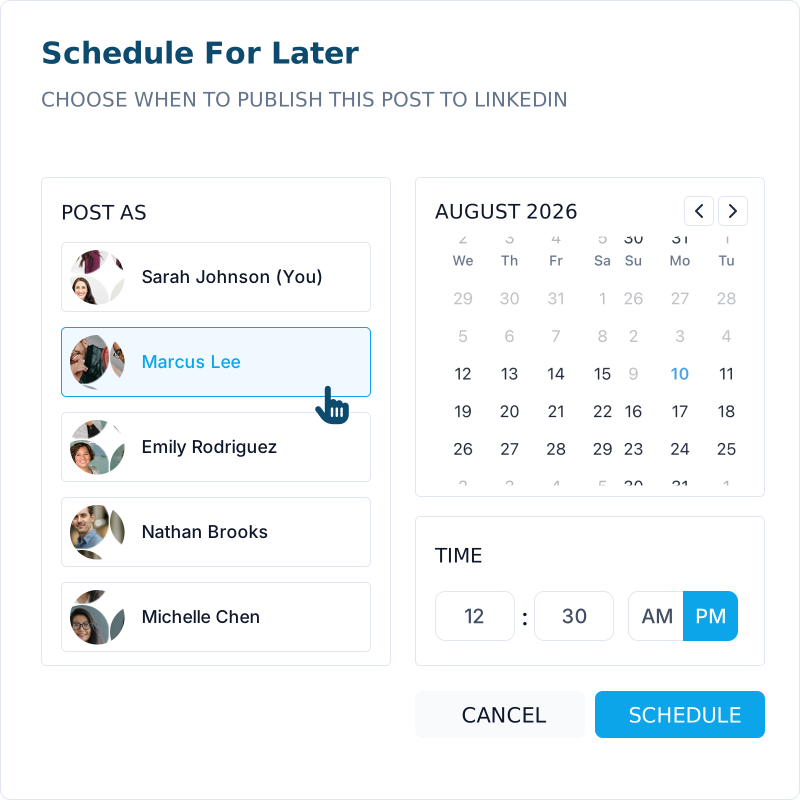
Pick any approved post from the Content Library, choose a date and time, and schedule it. It's that simple.

Checkmark

Pick a future date and time

Checkmark

Post as opted-in team members

Checkmark

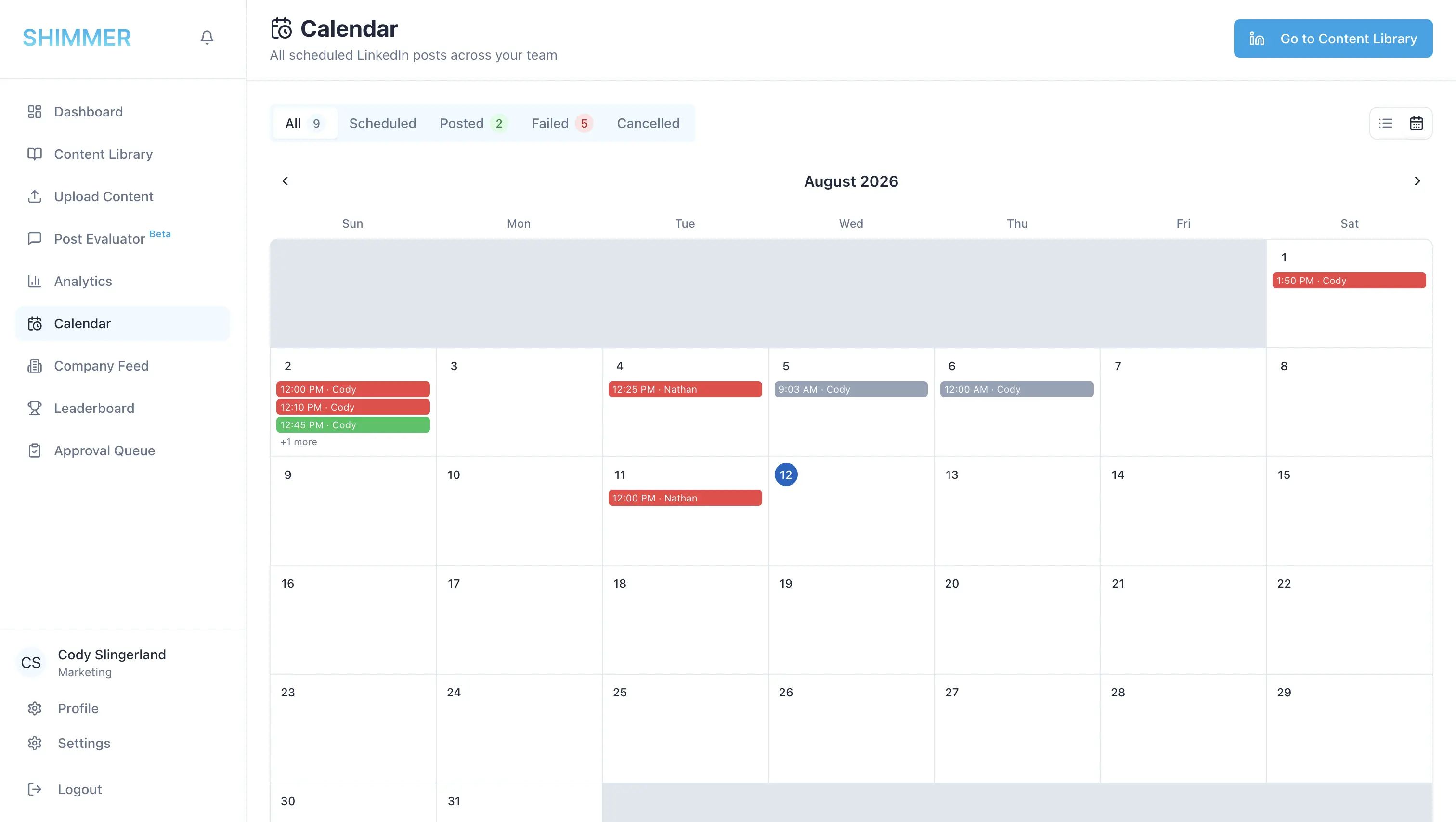
Appears on the calendar instantly

Shimmer Schedule for Later
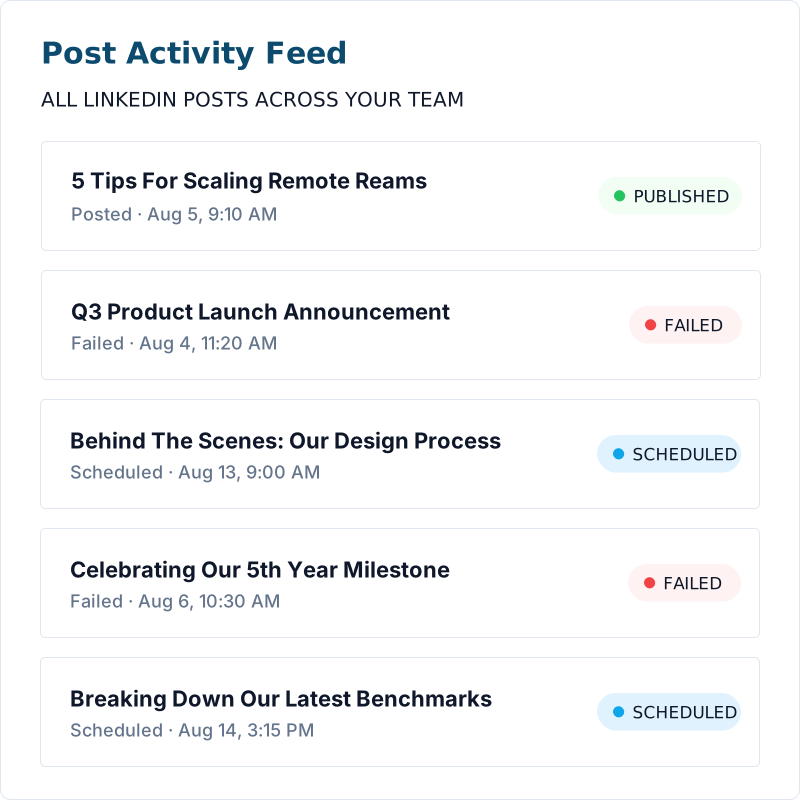
Shimmer Post Status Feed

Status at a glance

Know exactly where every post stands

Every post shows its status: scheduled, posted, or failed. You'll always know what's live and what needs a second look.

Filter icon

Real-time status

See scheduled, posted, and failed posts at a glance.

Eye icon

One-Click Retry

Reschedule a failed post and it's automatically retried.

Edit Without the hassle

Reschedule in two clicks

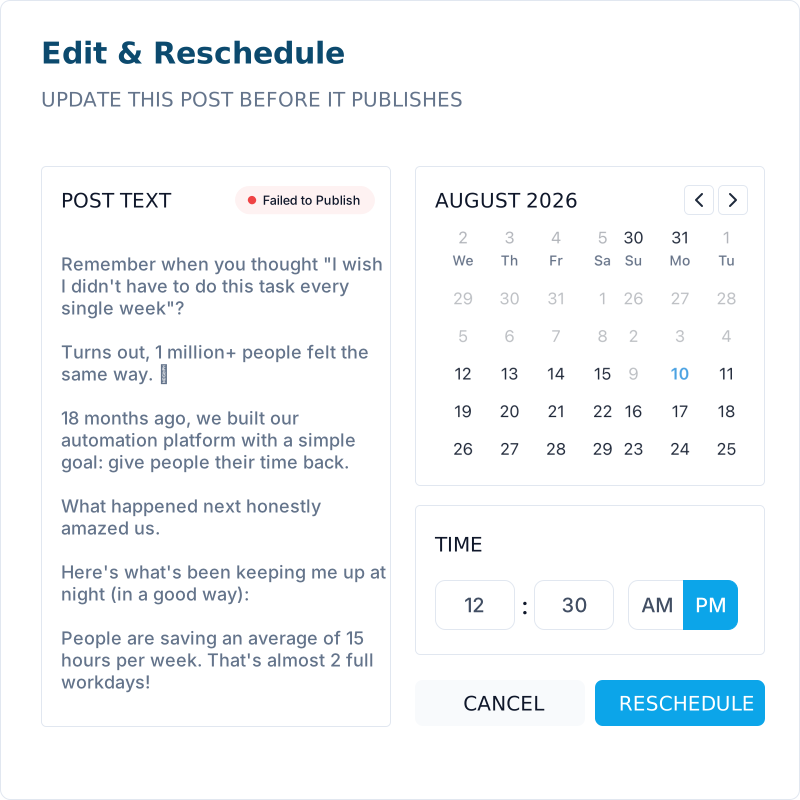
Adjust the copy, the timing, or both, right from the calendar. Changes save instantly and the post picks up right where it left off.

Checkmark

Edit text and timing together

Checkmark

Failed posts reset and retry

Feature Icon

Admins can manage the whole org's posts

Shimmer Edit & Reschedule

Supercharge your sales team with Shimmer

Transform scattered content into a sales weapon that drives higher engagement and closes deals.

Get Started

Cta Image
Cta Image Cta Image

Have questions?
We have answers ...

Calendar Grid vs. List view, what's the difference?
Faq Icon
How do I schedule a post?
Faq Icon
Can I edit a post after it's scheduled?
Faq Icon
What happens when a post fails?
Faq Icon
Who can see and manage other people's posts?
Faq Icon