The LinkedIn Sales Advocacy Platform
Amplify Your LinkedIn Presence by 10x
Give your team access to high-performing posts, streamline social selling, and track results.

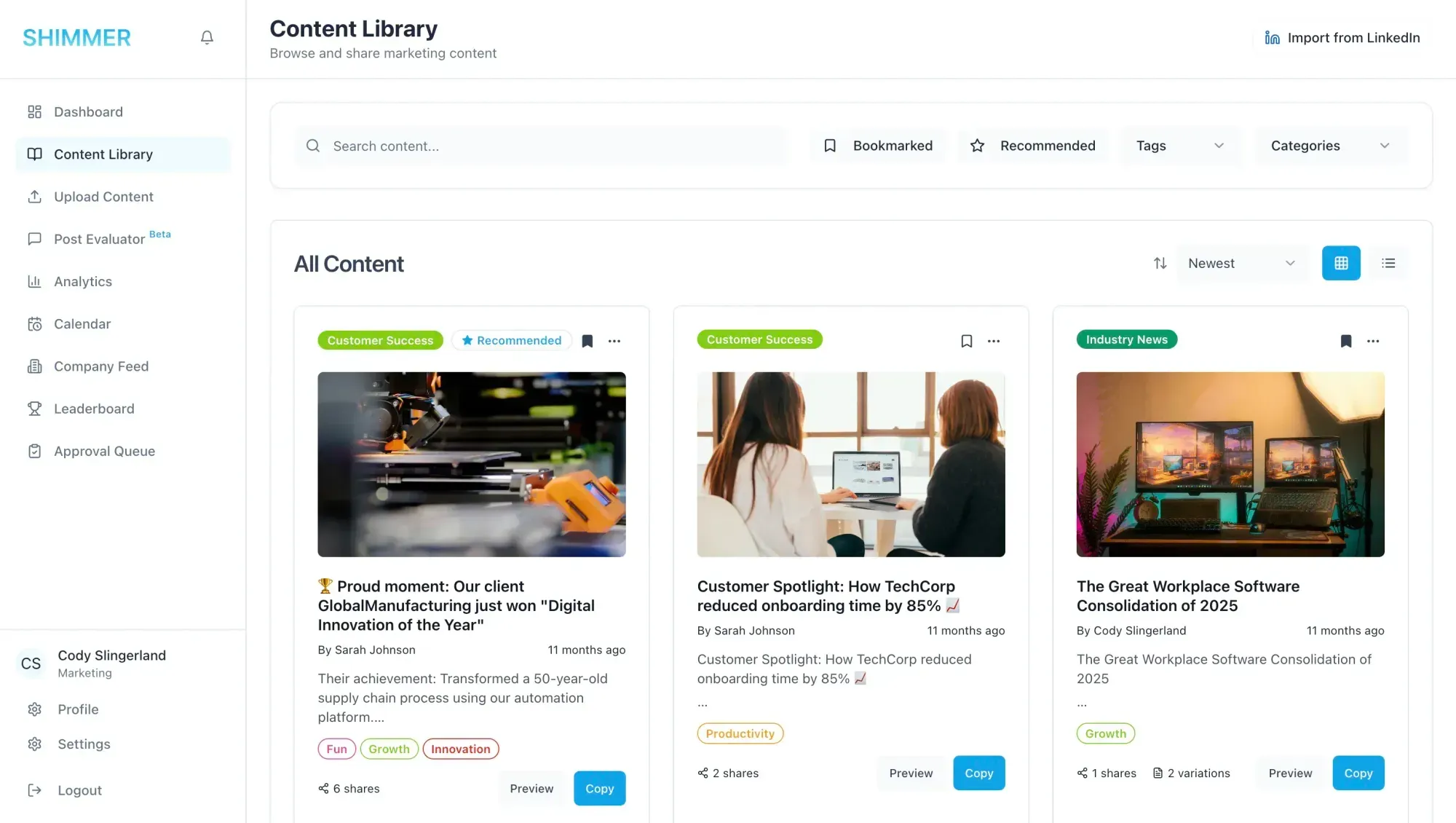
“Shimmer enables teams to amplify their LinkedIn reach by giving team members a way to publish marketing-approved posts consistently to their own LinkedIn profiles and tap into their employee networks.”

Cody Slingerland
Founder

Amplify
Effortlessly scale your LinkedIn presence
Every post your team shares extends your brand further than any company page ever could. Shimmer turns employee networks into your biggest channel.
Turn sales reps into trusted advisors through consistent, valuable content sharing and boost your LinkedIn presence.

One Platform
One platform, endless waysto amplify your brand
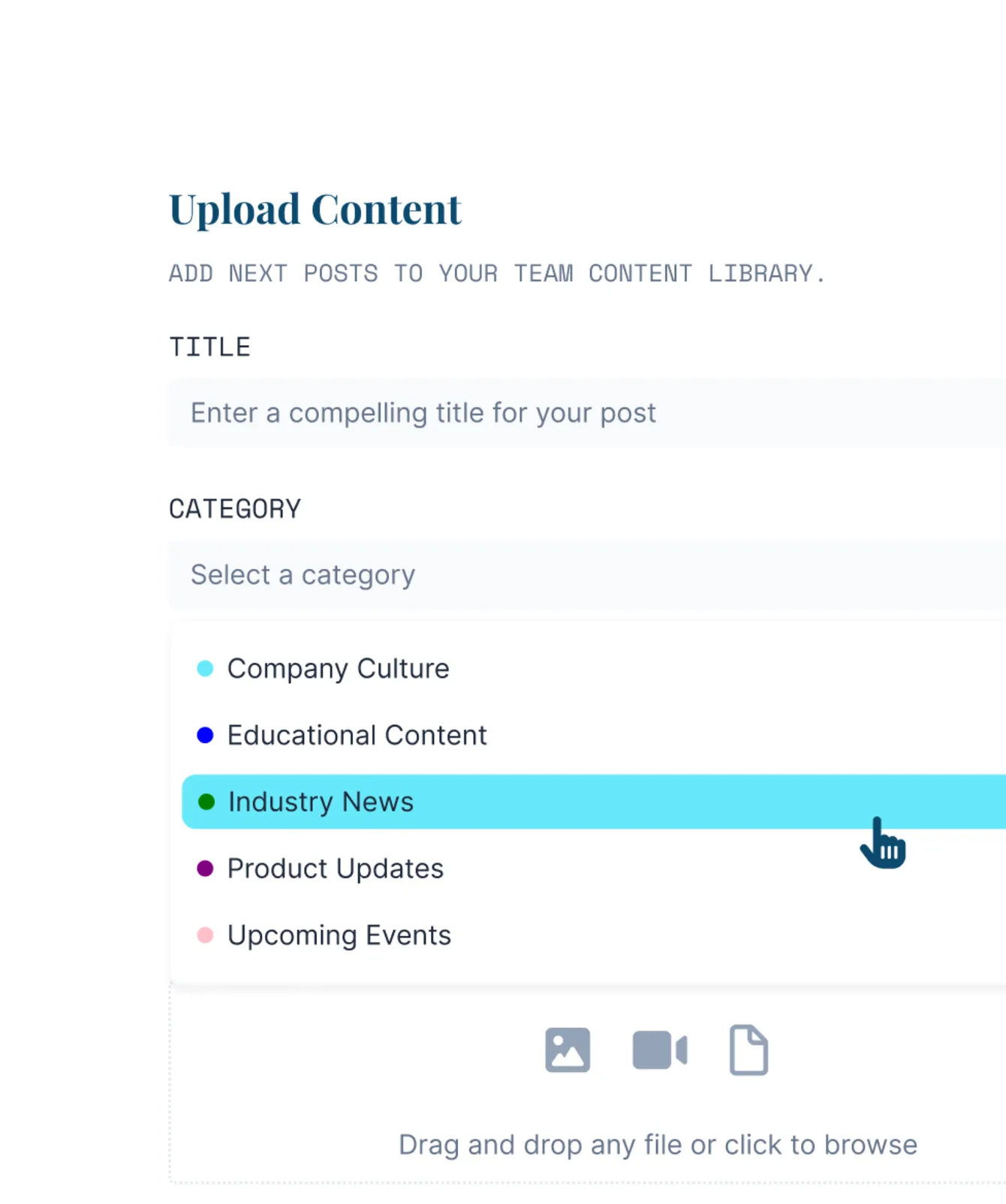
Add content
Upload content or import existing posts from your LinkedIn page.

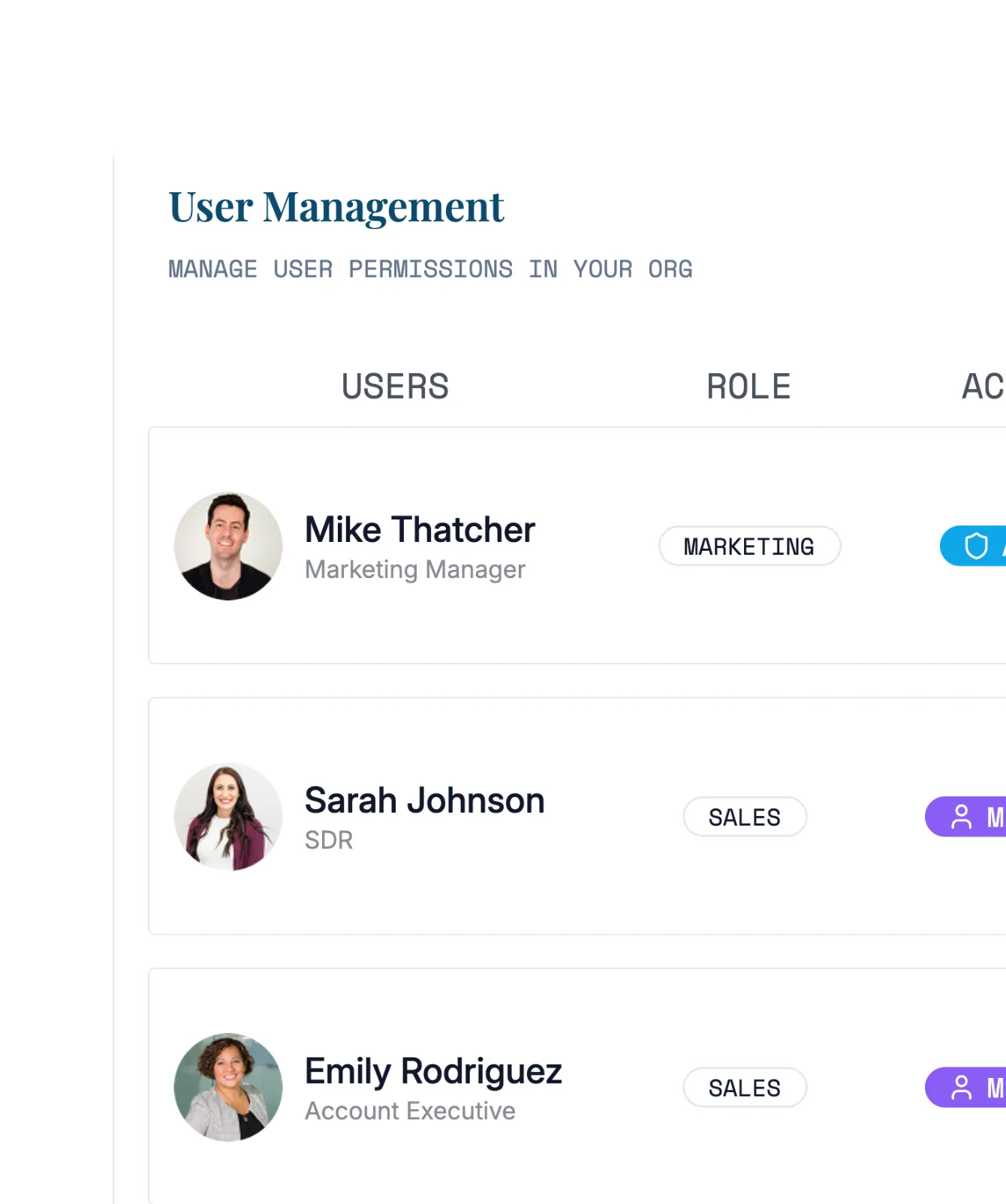
Invite your team
Set permissions and add team members with an invite link.
Share content
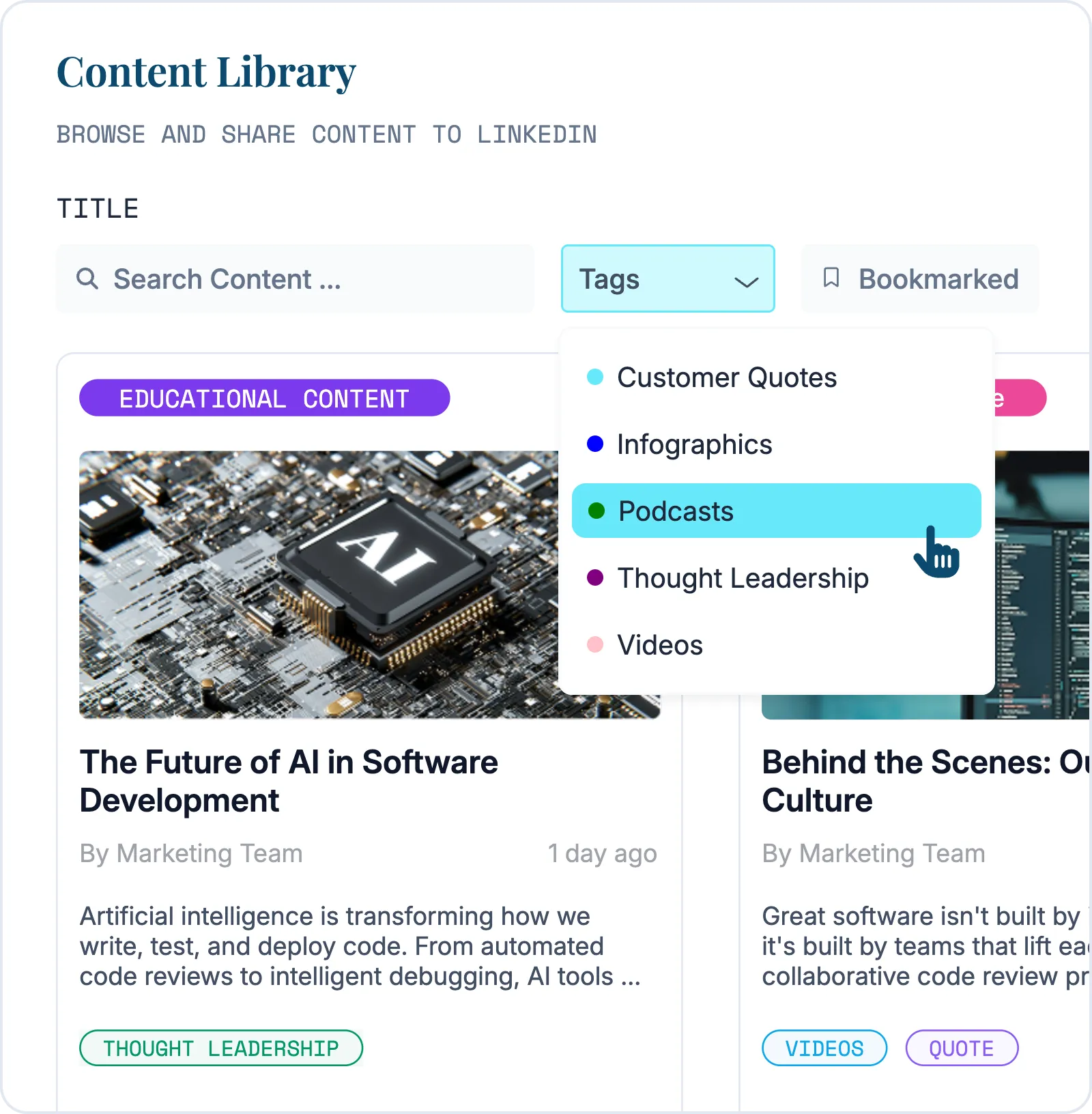
Browse by posts, categories, tags, and even set recommendations.


Amplify reach
Share or schedule posts to team member LinkedIn profiles.
Organize Your Way
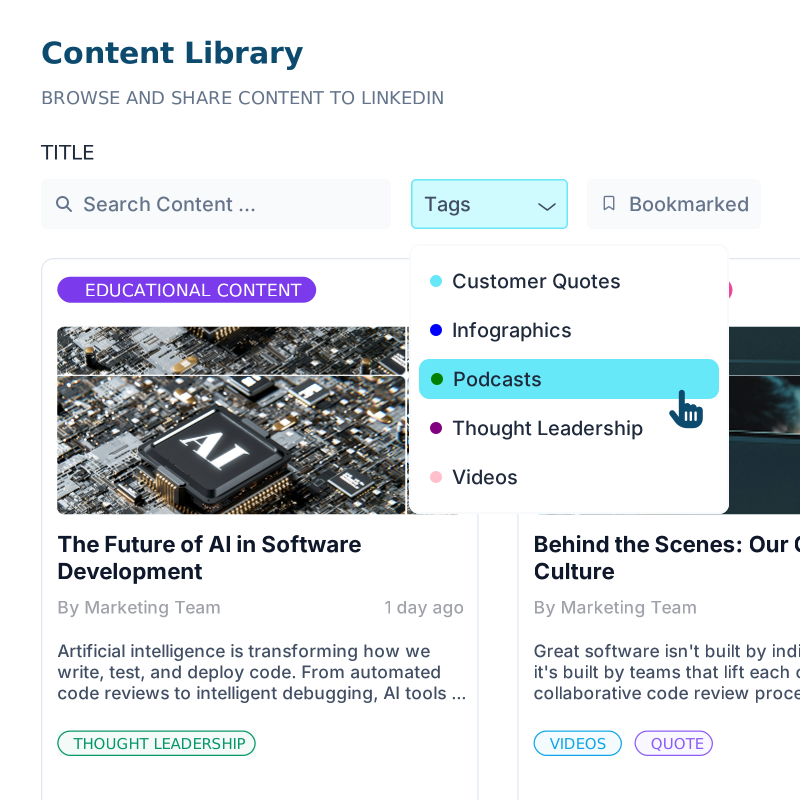
Access and organize your content arsenal
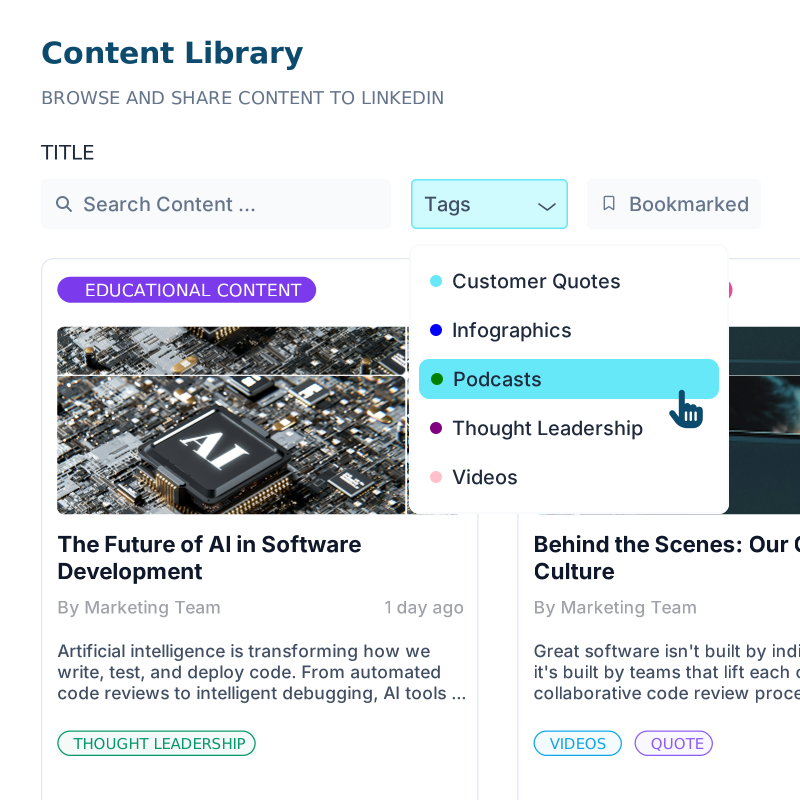
No more hunting through folders or outdated drives. Advanced search and filtering puts the right content in front of your sales team exactly when they need it.
Advanced filtering
Search across tags, categories, and bookmarked content.
Content preview
Preview posts with LinkedIn-style formatting.
One-click sharing
Easily share posts to your LinkedIn profile.

LinkedIn Analytics
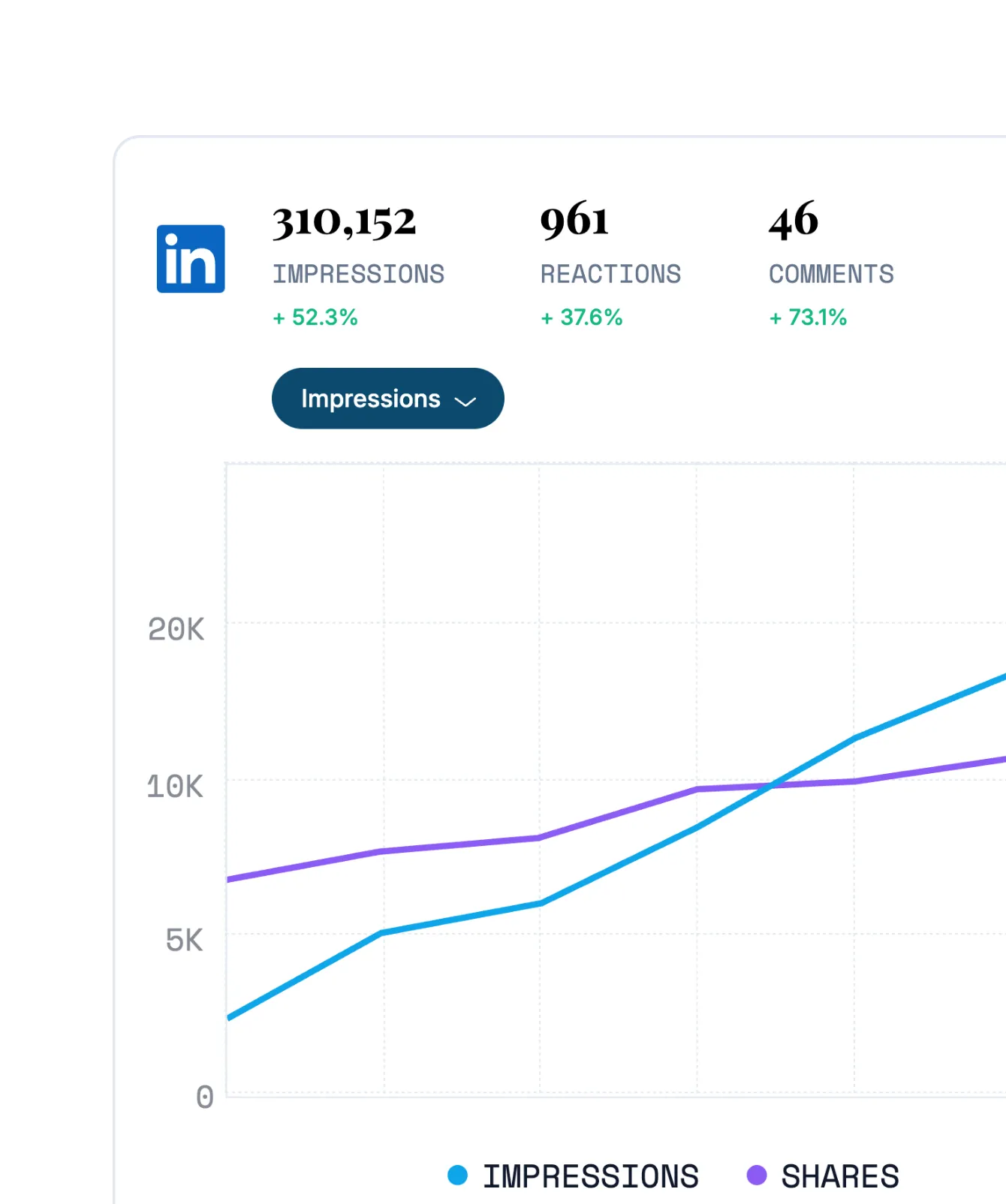
Track what works with data-driven insights
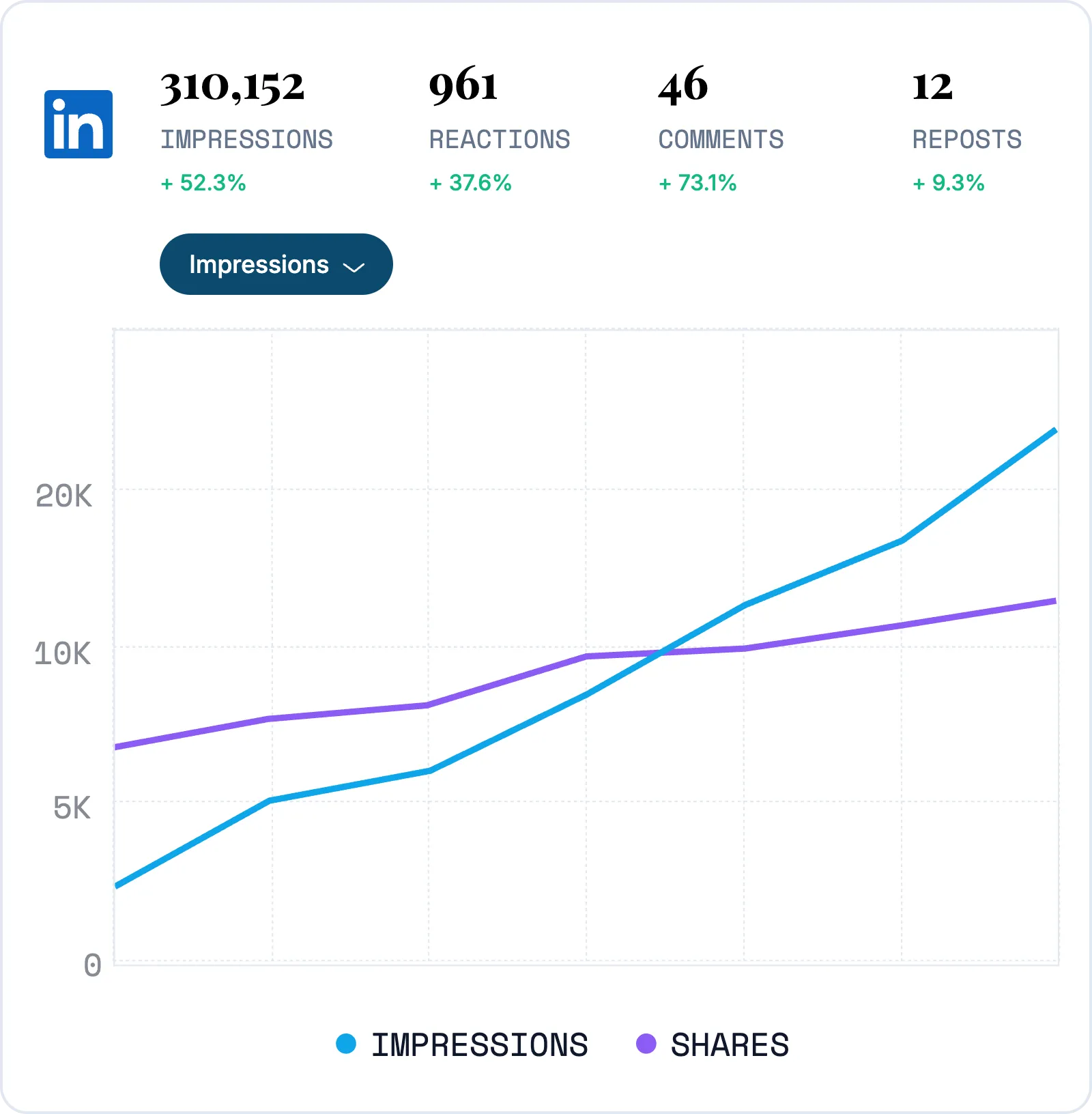
See exactly which content drives results. Track engagement and make informed decisions about what content to share.
Content performance
Track shares, views, comments, and more.
Usage analytics
See who on your team is engaging with your content.
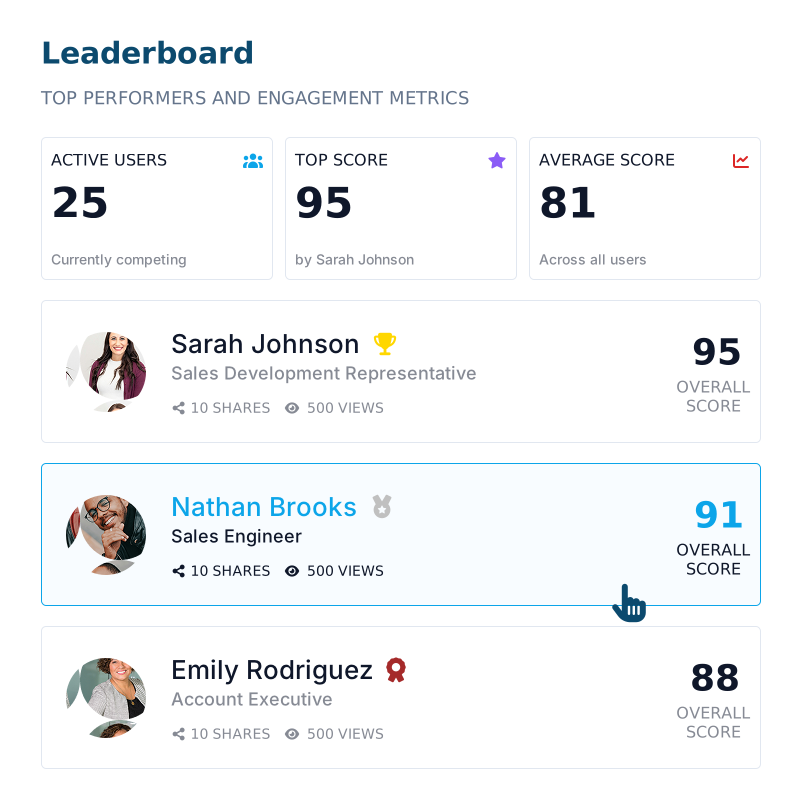
Team engagement
Track engagement with a real-time leaderboard.
Shimmer by role
Key features empowering your entire team
Amplify your LinkedIn presence
Upload & curate content in minutes
Keep your sales team equipped with fresh, on-brand LinkedIn posts. Upload, organize, and set post recommendations.
Track performance & team adoption
See exactly which posts drive engagement and which sales reps are most active.
Share content that closes deals
Discover the right content in seconds
Advanced search and smart filtering help you find exactly the right content at the right time.
Share to LinkedIn with one click
Post pre-approved content directly to LinkedIn with real-time preview and AI suggestions.
Manage teams with ease
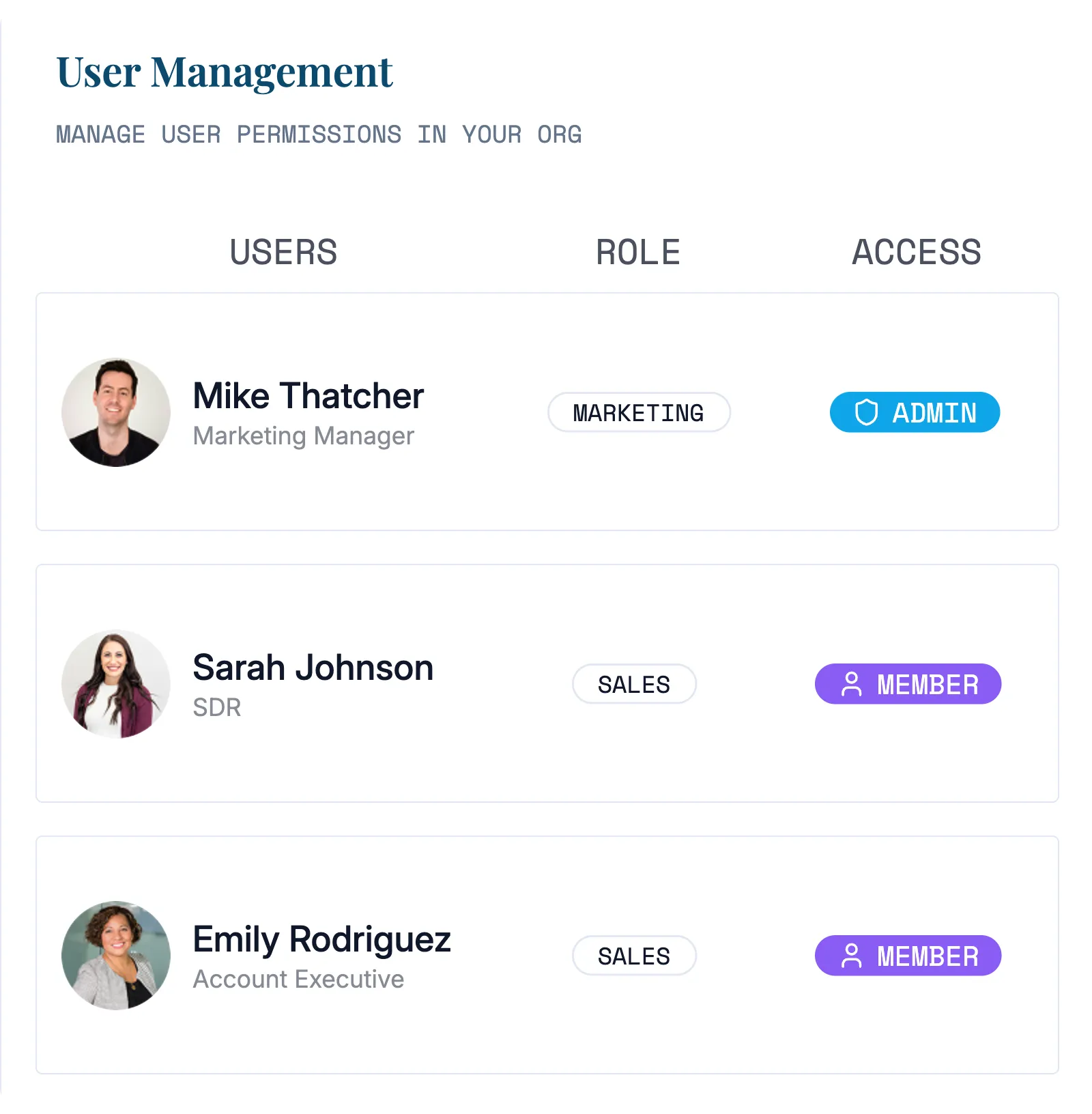
Manage members with role-based access
Set granular permissions for Admin, Marketing, and Sales roles, ensuring everyone has the right level of access.
Monitor engagement with detailed analytics
Get complete visibility into content usage, team performance, and platform adoption, and make data-driven decisions.
FAQ
Frequently asked questions
A few quick answers about using Shimmer and amplifying your LinkedIn reach.
A LinkedIn advocacy platform enables organizations to amplify their brand by coordinating content sharing across employee LinkedIn accounts. Instead of relying only on corporate channels, employees share approved content on their personal profiles, multiplying reach and building authentic connections.
Shimmer focuses on sales enablement, making it easy for marketing to curate content and for sales to share it strategically.
Shimmer handles the complete workflow from content to measurement. Marketing uploads pre-approved content and sets daily or weekly recommendations for campaigns. Sales gets instant access with advanced search and one-click LinkedIn sharing. Analytics shows content performance and team engagement, while leaderboards drive consistent adoption.
Shimmer is purpose-built for sales teams and social selling. We prioritize lightning-fast content discovery, direct LinkedIn integration, and analytics tied to LinkedIn engagement and brand awareness. Curated recommendations align with your go-to-market strategy while role-based permissions give marketing control.
Absolutely! While optimized for sales and marketing, Shimmer works for company-wide advocacy. Any employee can access shareable content with category and tag organization.
Shimmer uses OAuth authentication to securely connect with LinkedIn, meaning we never store your LinkedIn password. Your team can post directly to LinkedIn with one click while maintaining full control over their accounts. All LinkedIn tokens are automatically refreshed and encrypted for maximum security.
You can upload images up to 20MB, videos up to 50MB, and PDF documents with live thumbnail previews. The platform supports all major file formats and automatically optimizes content for LinkedIn sharing while maintaining quality.
Teams can get up and running within 24 hours. Admins can invite team members via secure links, set role-based permissions, and begin uploading content immediately.
Admins have full platform control including user management and analytics access. Marketing users can upload, organize, and manage all content. Sales users can access, search, and share approved content with basic performance tracking.
Yes! Shimmer provides analytics showing content engagement and performance metrics. You can track which materials generate the most LinkedIn engagement and identify top-performing team members
We offer a free demo to show you exactly how Shimmer works with your content and team structure. During the demo, we'll walk through the platform using your actual use case and answer any specific questions about implementation and pricing.